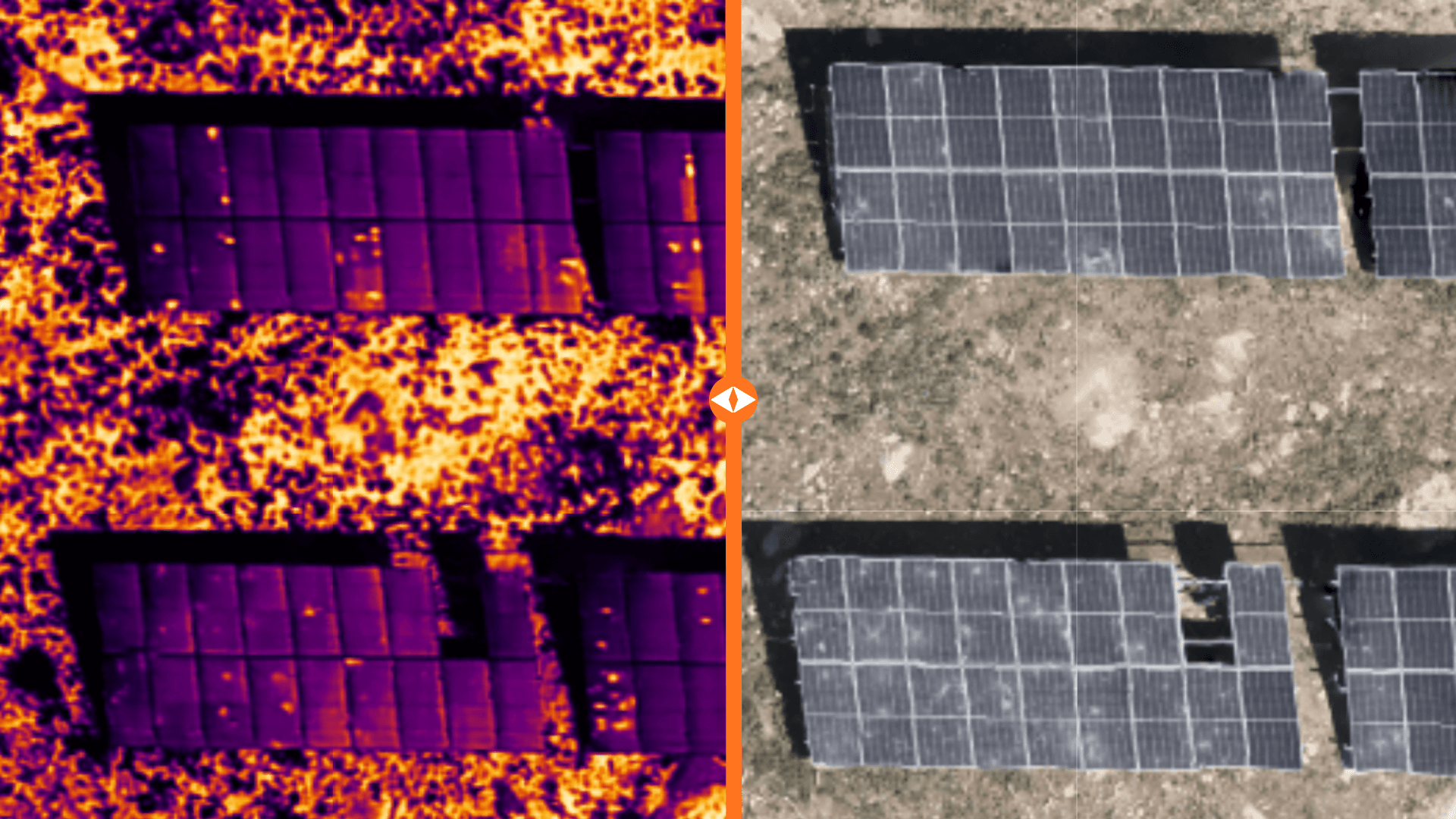
Compare RGB and Thermal Imagery in One View
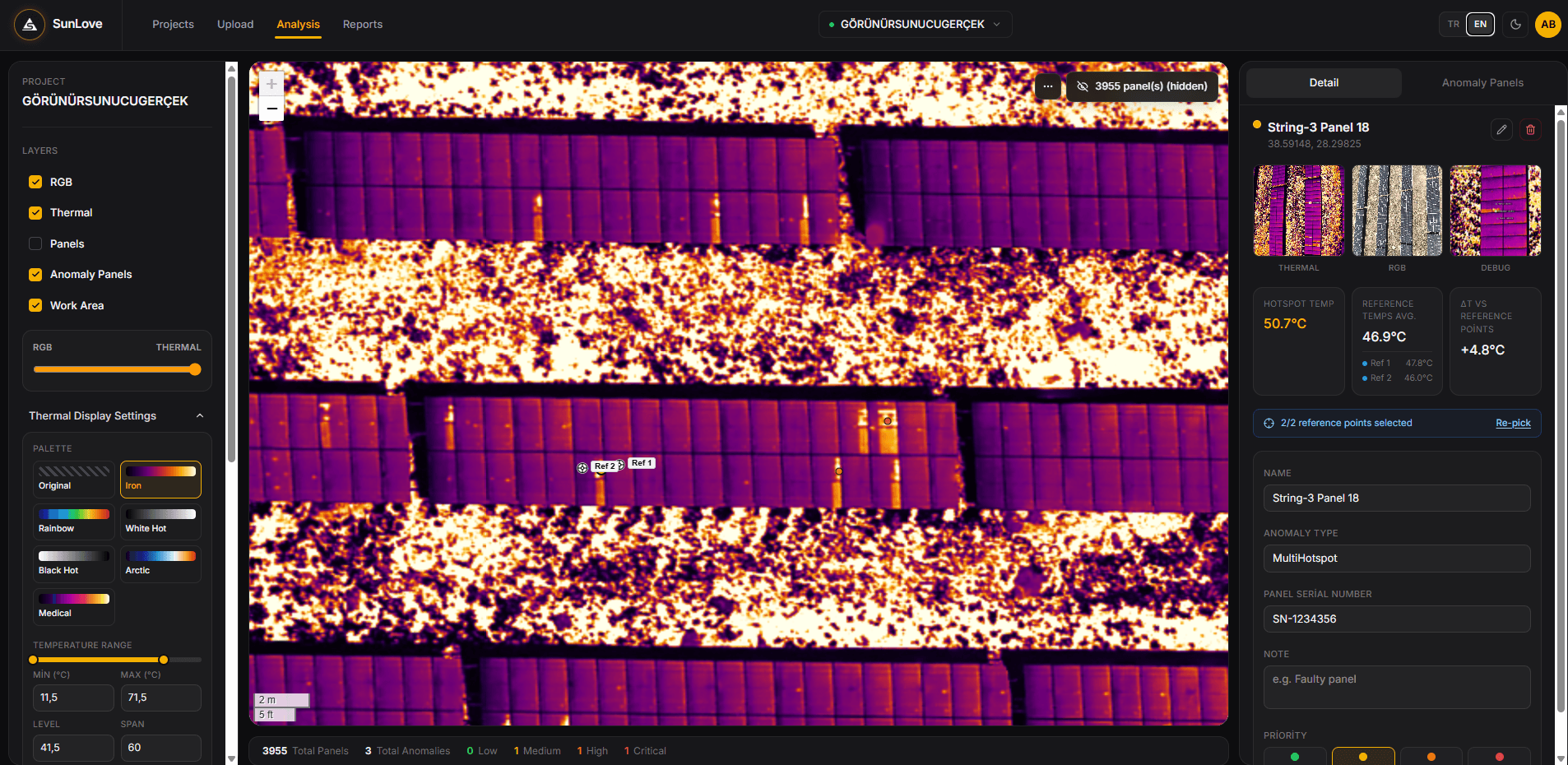
View the RGB and thermal orthophotos from your drone flight in the same workspace. Switch between layers instantly, or use the slider to compare both images with pixel-level precision.
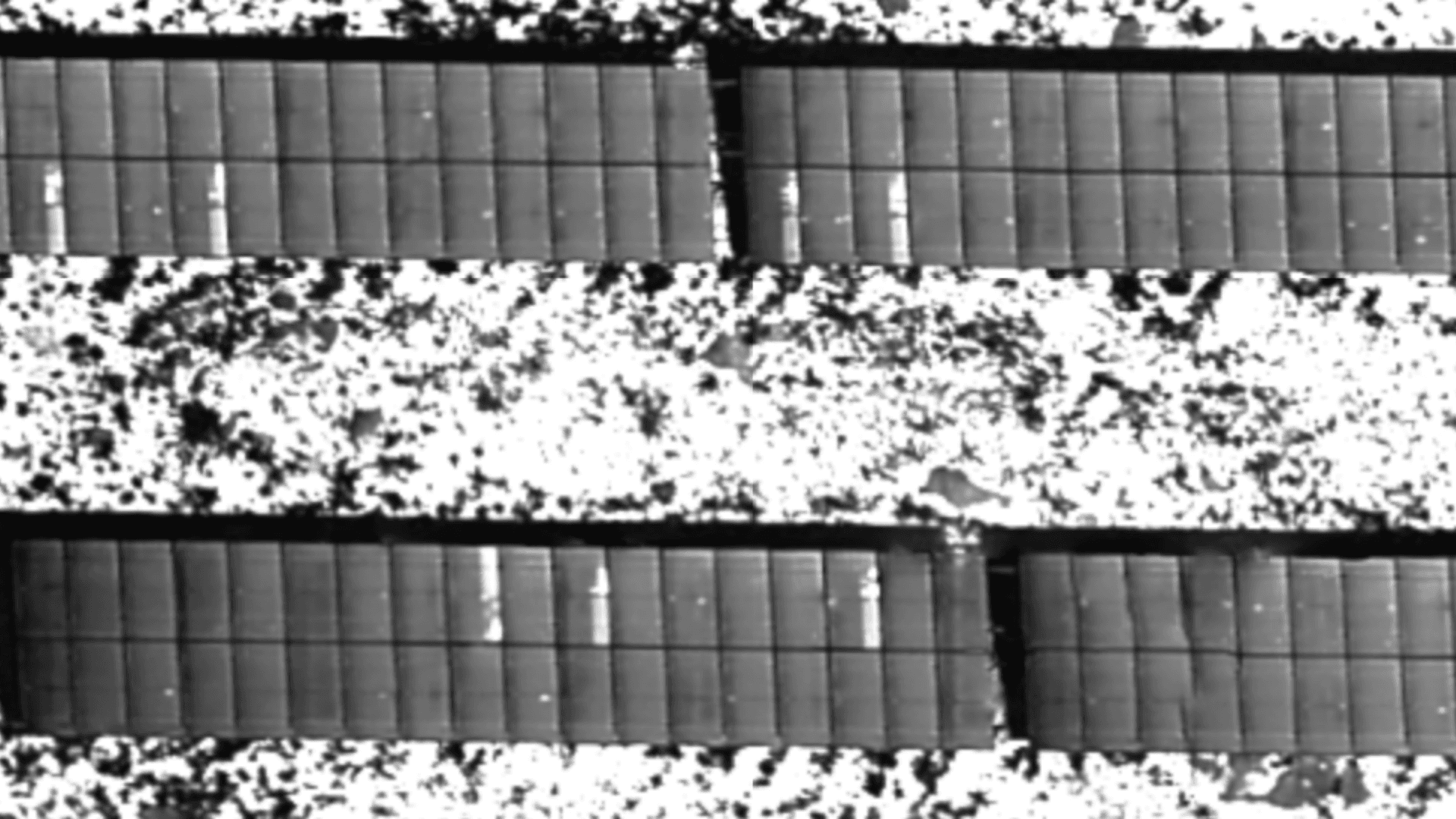
Customize Thermal Imagery
Adjust the temperature range and color palette to reveal different thermal details more clearly. Analyze with industry-standard palettes like Iron, Rainbow, White Hot, Black Hot, and Arctic, fine-tuning the range in seconds to surface even the smallest temperature differences.
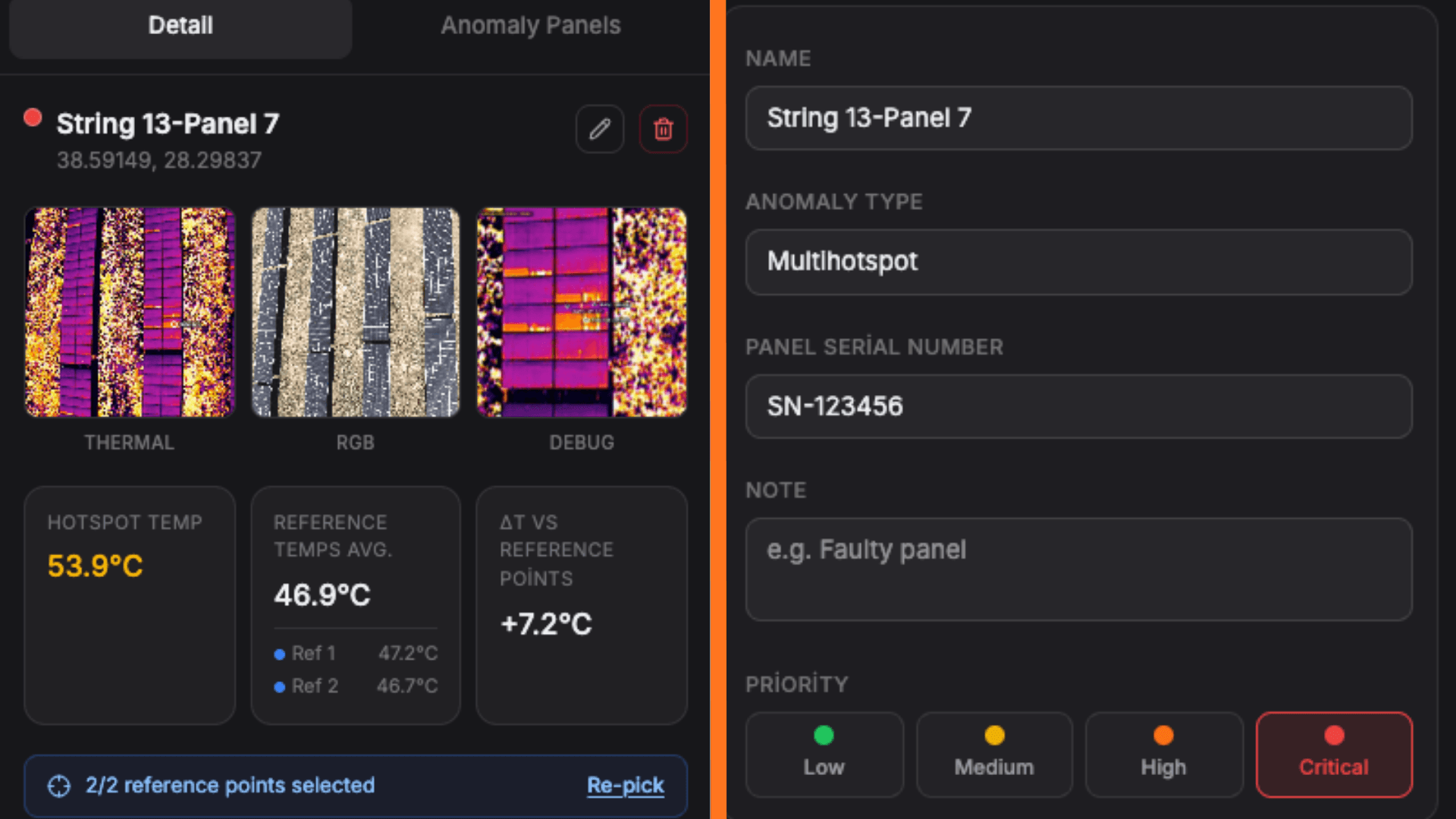
Precise Anomaly Analysis with ΔT
Review the hotspot temperature, reference temperatures, and ΔT value for every anomaly on one screen. Evaluate the RGB, thermal, and detail imagery together to make more accurate decisions.
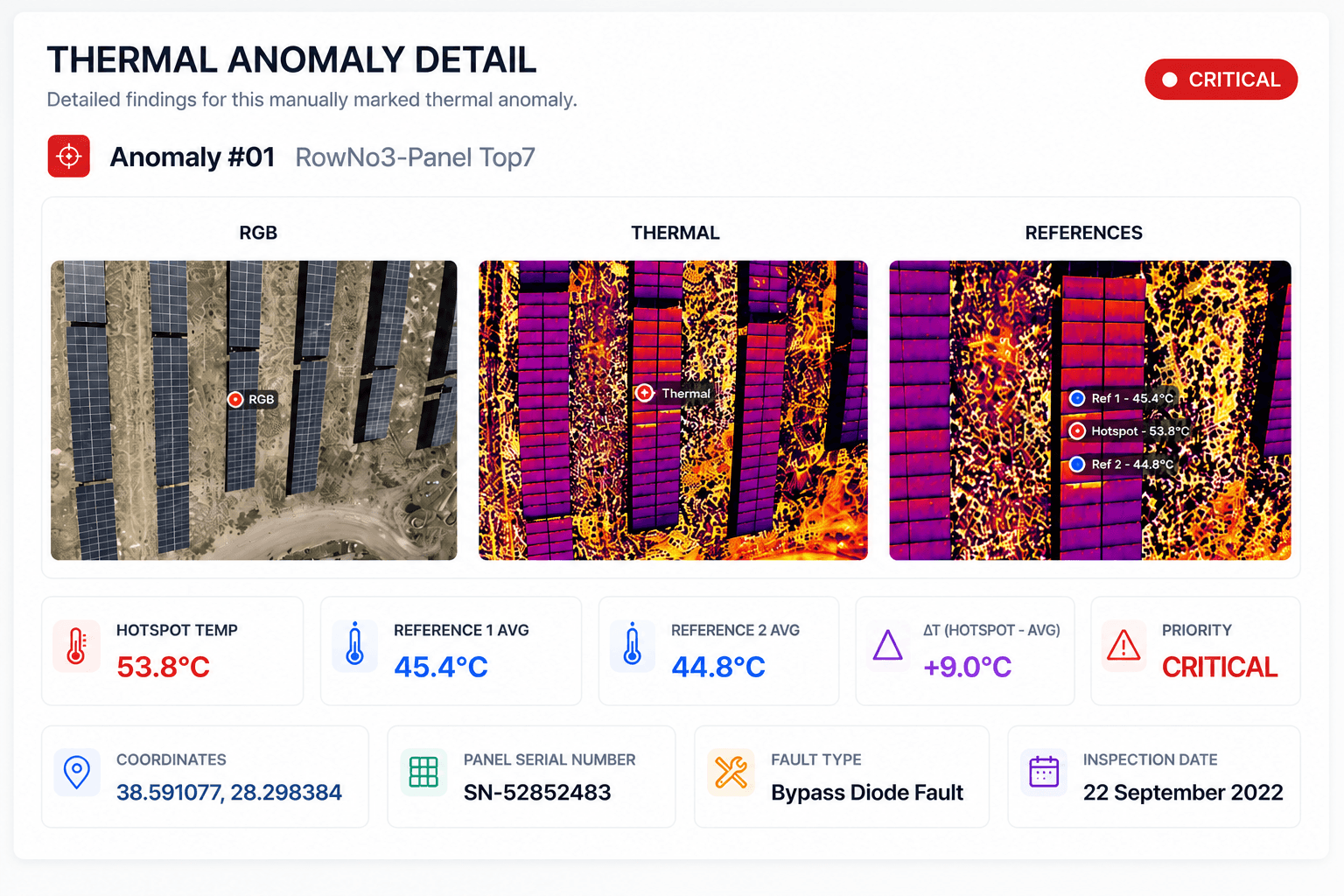
Generate Professional PDF Reports
Turn your inspection results into professional PDF reports with a single click. RGB and thermal imagery, ΔT analyses, panel information, priority levels, and coordinates are all presented neatly in one report. Generate output in both Turkish and English report options. Click the coordinate link to view the panel's exact location directly on the map.
Choose the Working Model That Fits You
Use the platform yourself, or leave the entire process to us. Choose whichever working model fits your needs.
Use the Platform Yourself
Upload your imagery, run your thermal analyses, and generate your reports in minutes.
Send Us the Imagery, We'll Handle the Analysis
Send us your drone imagery; we'll prepare the analysis, anomaly review, and report for you.
End-to-End Service On Site
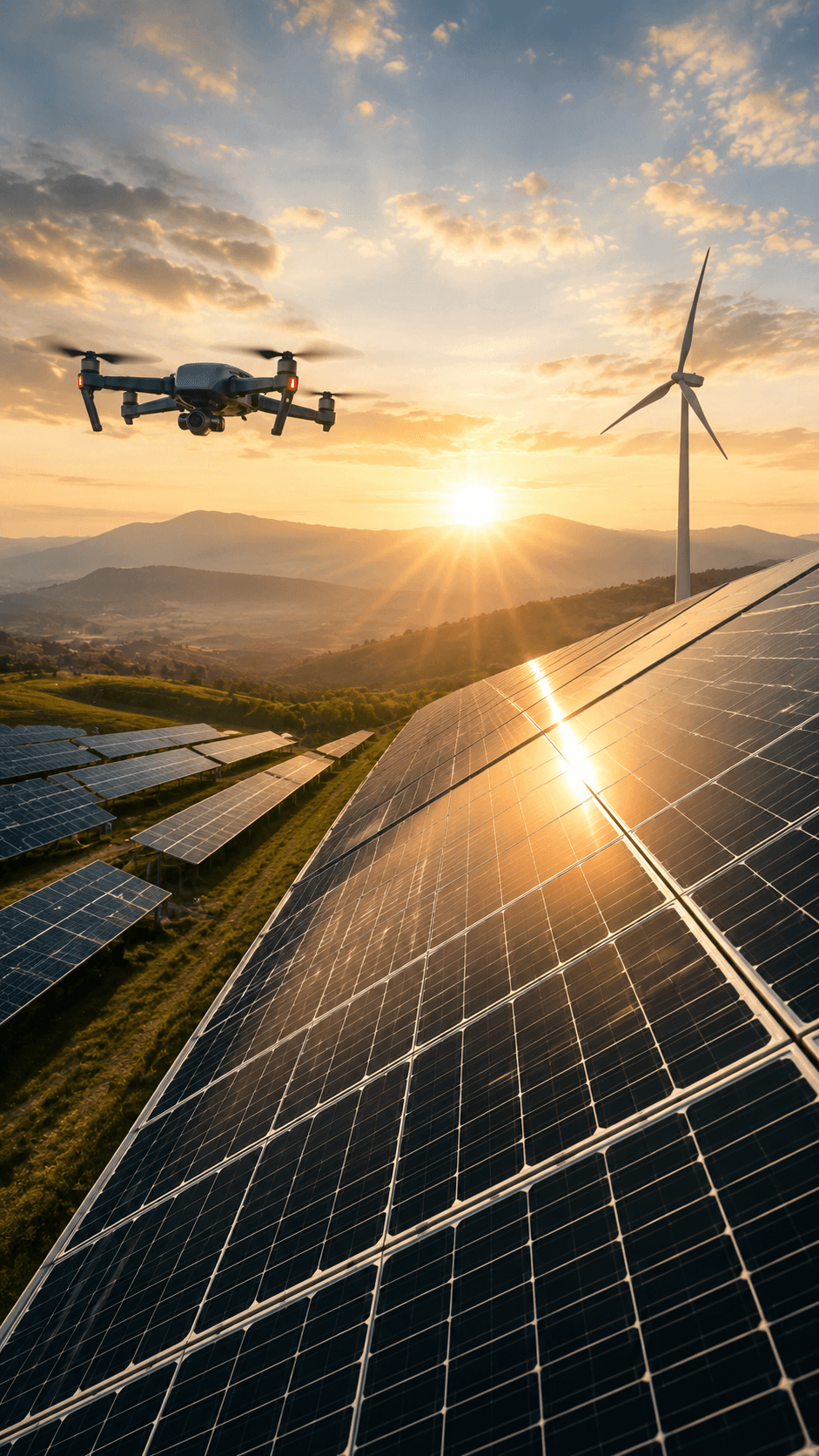
We'll come to your site; we handle the drone flight, thermal inspection, analysis, and reporting end to end.